Logo Diffusion vs Looka: Features, Pros, and Logo Quality Compared

This page compares Looka and Logo Diffusion on how each builds a logo, how far you can edit it, what the files cost and what you own afterward. Both got one shared brief, a logo for a fictional golf team called Royal Irons, and the sections below describe what each returned.
The other logos here are real Logo Diffusion output, picked from its public gallery and shown with the prompts that made them, along with one edit made in the app and one Vectorize close-up.
What is Logo Diffusion?
Logo Diffusion is an AI logo generator that draws each logo from what you give it: a written prompt in Text to Logo, a drawing in Sketch to Logo or a photo in Image to Logo. Text to Logo has 11 logo styles plus Auto, and paid plans get 4 options from every generation, the free plan 2.
The name and the picture come out of one prompt. This one asked for a chameleon in glasses for a brand called MISAQ:
Dynamic chameleon mascot wearing futuristic glasses, representing versatility, showing the text "MISAQ".

What is Looka?
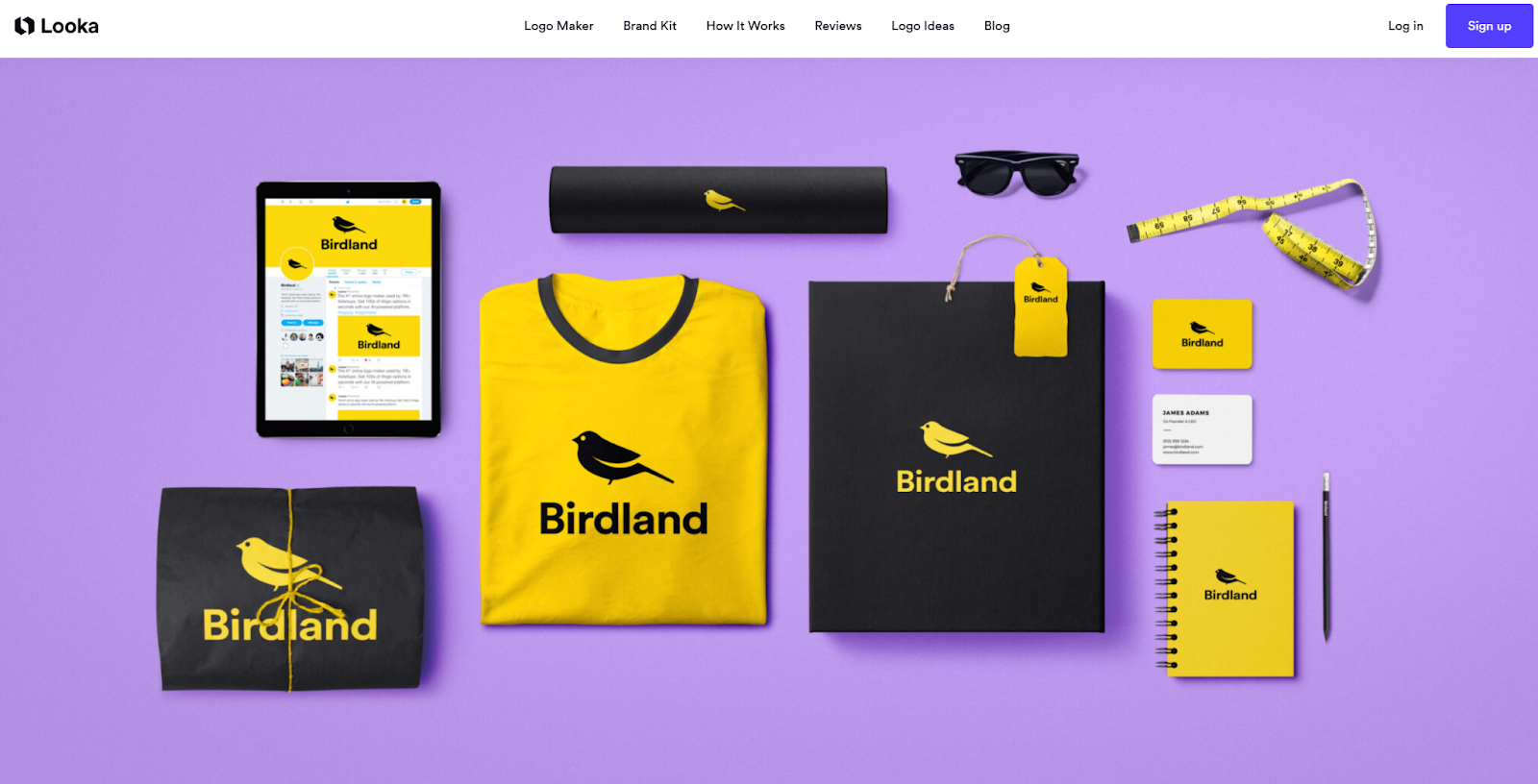
Looka is a logo maker that works from choices. You enter your company name and industry, pick the styles, colors and symbols you like, and Looka combines them into a page of options within a few minutes. There is no prompt to write, and making logos is free until you download one.
Comparison table
| Feature | Logo Diffusion | Looka |
|---|---|---|
| How a logo starts | A prompt, a sketch or a photo, drawn in one of 11 logo styles or Auto | Company name and industry, then the styles, colors and symbols you pick |
| Files | PNG, plus a layered SVG from Vectorize (2 a month on the free plan) | One low-res PNG in the Basic Logo Package; PNG, SVG, EPS and PDF in the Premium Logo Package or the Brand Kit |
| Editing | Magic Editor: a written instruction changes the logo, drawing included | Colors, fonts and layout, plus the symbol’s color, look, spacing and position |
| Ownership terms | Every logo made on a paid plan has a commercial license that survives cancelling; free-plan logos have none | Copyright covers the logo as a whole; its symbols stay in Looka’s database after purchase |
| Price | $0 on the free plan; $24, $49 or $99 a month on paid plans | $35 or $72 one-time, per brand, or the Brand Kit at $96 a year (as of October 2026) |
The Royal Irons test: one brief, both tools
We gave both tools one brief, a logo for a fictional golf team called Royal Irons, and edited nothing afterward. Looka takes a name and a series of choices, so the team name went in through its own steps. In the image, Looka’s three results are on the left and Logo Diffusion’s three are on the right.
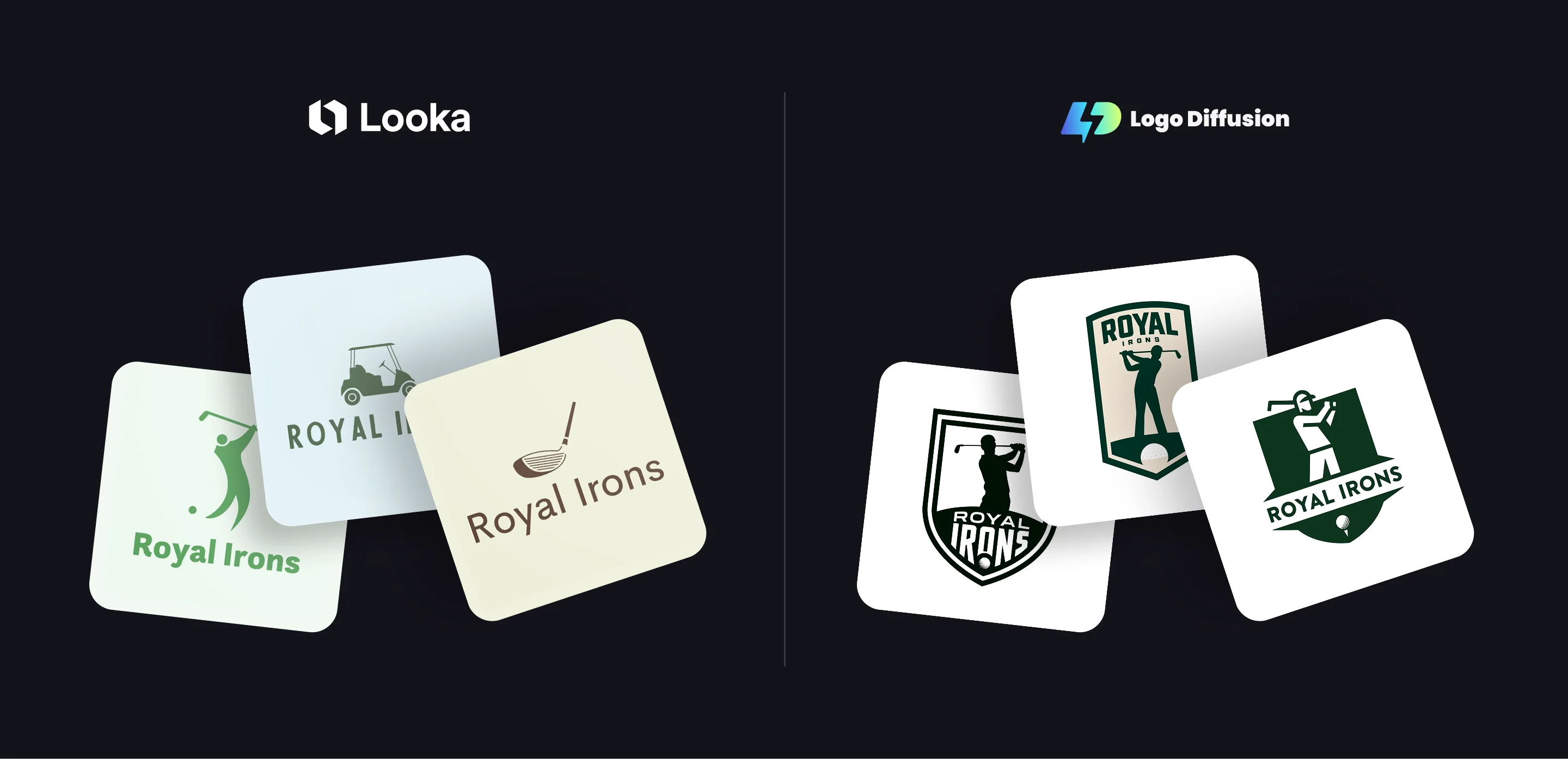
Each of Looka’s three puts one golf symbol above the name, on a pale card:
- A green golfer mid-swing with a ball beside him, over Royal Irons in bold green letters, on pale green.
- A dark green golf cart over ROYAL IRONS in widely spaced capitals, on pale blue.
- A brown driver head over Royal Irons in plain brown letters, on cream.
Logo Diffusion’s three are team badges in dark green and white, one with a cream fill:
- A golfer silhouette at the top of the backswing fills a white shield with a thick green outline, and the name runs across the dark base in white, IRONS in tall condensed letters over a golf ball.
- ROYAL in heavy green capitals tops a cream shield, with a smaller IRONS and a green golfer at the end of his swing, standing on a mound with a ball set into it.
- A white golfer in a cap, drawn from simple geometric shapes, sits in a flat green shield above ROYAL IRONS on a white band, with a ball on a tee at the point.
Looka’s results share one layout, a separate symbol set above a line of type. Logo Diffusion’s put the golfer, the name and the ball inside one badge, the way a team crest is built.
Logo quality and originality
Looka builds its options from a database of icons and fonts. Its help center says it does not remove a symbol from that database after someone buys a logo with it, so the same symbol stays available to every other Looka customer.
Text to Logo draws the picture from your prompt, and it can draw a picture and a letter as one shape. Here the letter C is the chicken’s head:
Letter 'C' cleverly forms a chicken head, featuring a stylized crest. Chicken looks forward with resolve. "La Chacrita" text below.

Customization
Looka’s editor changes colors, fonts and layout, and for the symbol its color, look, spacing and position. Its help center says you can’t add your own symbol to a logo.
The Magic Editor in Logo Diffusion takes a written instruction and changes the logo you already have, the drawing included. This one added a crown to the MISAQ chameleon:
put a small orange crown on the chameleon's head, keep the glasses, the pose, the MISAQ lettering and the colors the same

To start from your own artwork, Sketch to Logo takes a photo or scan of a drawing and redraws it as a finished logo.
Branding workflow
Looka’s branded templates, such as social posts, business cards and ads, come with its Brand Kit subscription.
Logo Diffusion keeps to the logo and its versions. Logo Variations makes new takes on a logo you have, and Logo System in the Magic Editor turns it into wordmark, lettermark, emblem and symbol versions. For the vector file, download the PNG and run it through Vectorize: 5 credits with the Default vectorizer, or 8 with the HQ vectorizer on a paid plan.

Looka fits if
- You want to pay once for one brand, with no subscription.
- You need EPS or PDF files today. Logo Diffusion exports PNG and SVG, and PDF and EPS are coming soon.
- You plan to pay for the Brand Kit’s branded templates.
For a general design tool with a logo maker, the Canva comparison runs the same Royal Irons brief through Canva.
Pricing
Logo Diffusion
- Free plan: $0 with no credit card required, and 24 credits, refilled weekly
- Basic: $24 a month for 1,000 credits, up to 500 logos a month from Text to Logo
- Pro: $49 a month for 2,500 credits
- Elite: $99 a month for 6,000 credits
Billed yearly, each paid plan comes with two months free. Downloads on a paid plan have no watermark.
Looka, as of October 2026
- Basic Logo Package: $35 one-time, one low-res PNG file
- Premium Logo Package: $72 one-time, high-res PNG, SVG, EPS and PDF files, color variations and unlimited changes after purchase
- Brand Kit: $96 a year, adds branded templates
- Brand Kit Web: $129 a year, adds an AI-generated website
Make your logo with Logo Diffusion. Describe it, sketch it or upload an image, then turn it into a layered SVG with Vectorize. Try it for free.
Frequently asked questions
Do I own the symbol in my Looka logo?
Looka’s help center says your copyright applies to the logo as a whole and not to the individual elements in it. The symbol stays in Looka’s database after you buy, so it can appear in another business’s logo too. On Logo Diffusion, a logo made on a paid plan comes with a commercial license that stays after you cancel.
Looka’s help center says your copyright applies to the logo as a whole and not to the individual elements in it. The symbol stays in Looka’s database after you buy, so it can appear in another business’s logo too. On Logo Diffusion, a logo made on a paid plan comes with a commercial license that stays after you cancel.
Can one Looka purchase cover two businesses?
No. Looka’s help center says each logo purchase, whether a logo package or a Brand Kit subscription, is for one brand. A logo for a different brand name is a separate purchase.
No. Looka’s help center says each logo purchase, whether a logo package or a Brand Kit subscription, is for one brand. A logo for a different brand name is a separate purchase.
Can I try Looka and Logo Diffusion before paying?
Yes. Looka lets you make logos for free and charges when you download one. Logo Diffusion’s free plan gives you 24 credits every week, enough for up to 12 logos from Text to Logo, with downloads at 512 x 512 and a watermark.
Yes. Looka lets you make logos for free and charges when you download one. Logo Diffusion’s free plan gives you 24 credits every week, enough for up to 12 logos from Text to Logo, with downloads at 512 x 512 and a watermark.
Which costs less for a vector file?
As of October 2026, Looka’s cheapest vector file comes with the $72 Premium Logo Package, for one brand. In Logo Diffusion, Vectorize turns a logo into a layered SVG for 5 credits, and the free plan includes 2 a month.
As of October 2026, Looka’s cheapest vector file comes with the $72 Premium Logo Package, for one brand. In Logo Diffusion, Vectorize turns a logo into a layered SVG for 5 credits, and the free plan includes 2 a month.


Start with the material prompt.
The honest test is a real project, not a demo. 24 credits, no card.