AI Logo Design Tools in 2026: 8 Tools Tested on One Brief

Nine AI logo tools were given the same brief. Only three produced a vector file a printer would accept without cleanup, and the gap shows up in the export, not in the preview.
Eight AI logo tools got the same brief: a logo for a fictional golf team called Royal Irons. Nothing was edited afterward, and each section below shows the three logos that tool returned.
Logo Diffusion, Canva, ChatGPT and Midjourney took the brief as a written description. Looka, Shopify Logo Maker, LogoAI and Wix Logo Maker ask for a name and a few choices instead, so they got the team name and a golf setup through their own steps.
The eight tools at a glance
| Tool | How a logo starts | Vector file | Pricing |
|---|---|---|---|
| Logo Diffusion | A prompt, a sketch or an image | Yes Layered SVG with Vectorize | Free plan, then $24, $49 or $99 a month |
| Canva Logo Maker | A template, or a prompt in its AI Logo Generator | SVG on paid plans | Free plan, then Pro, Business and Enterprise |
| Looka | Name and industry, then styles, colors and symbols | SVG and EPS in the $72 package or the Brand Kit | One-time packages, or a Brand Kit at $96 a year |
| LogoAI | Brand name and industry preferences | In the higher packages | Packages |
| Shopify Logo Maker | Brand name, industry and style | No PNG files only | Free |
| Wix Logo Maker | A few style and tone questions | Free SVG download | Free; AI edits use credits |
| ChatGPT | A prompt | No Raster images | Image creation on every plan, limited on Free |
| Midjourney | A prompt | No Raster images | Paid plans from $10 a month |
What the same brief returned
Side by side, the 24 logos fall into three groups.
- Looka, Shopify Logo Maker, LogoAI and Wix Logo Maker put a small icon, such as a golfer, a flag or crossed clubs, above or beside the name.
- ChatGPT, Midjourney and Canva drew illustrations, from crowned lions to engraved seals and painted golfers, most of them with shading or texture.
- Logo Diffusion returned three flat badges in dark green and white, with the name inside each one.
Those three are the only results that put the name inside a badge and keep to flat color.
1. Logo Diffusion
Logo Diffusion makes only logos. In Text to Logo you write a prompt, pick one of 11 logo styles or leave it on Auto, and get 4 options on a paid plan or 2 on the free plan. Sketch to Logo starts from a drawing, and Image to Logo starts from an uploaded image.
For Royal Irons it returned three badges in dark green and white: a shield with a golfer at the top of his backswing over a green base carrying the name, a tall cream shield with ROYAL in heavy capitals across the top, and a green shield with a white geometric golfer over a ROYAL IRONS ribbon. Each one draws the golfer as one solid shape.

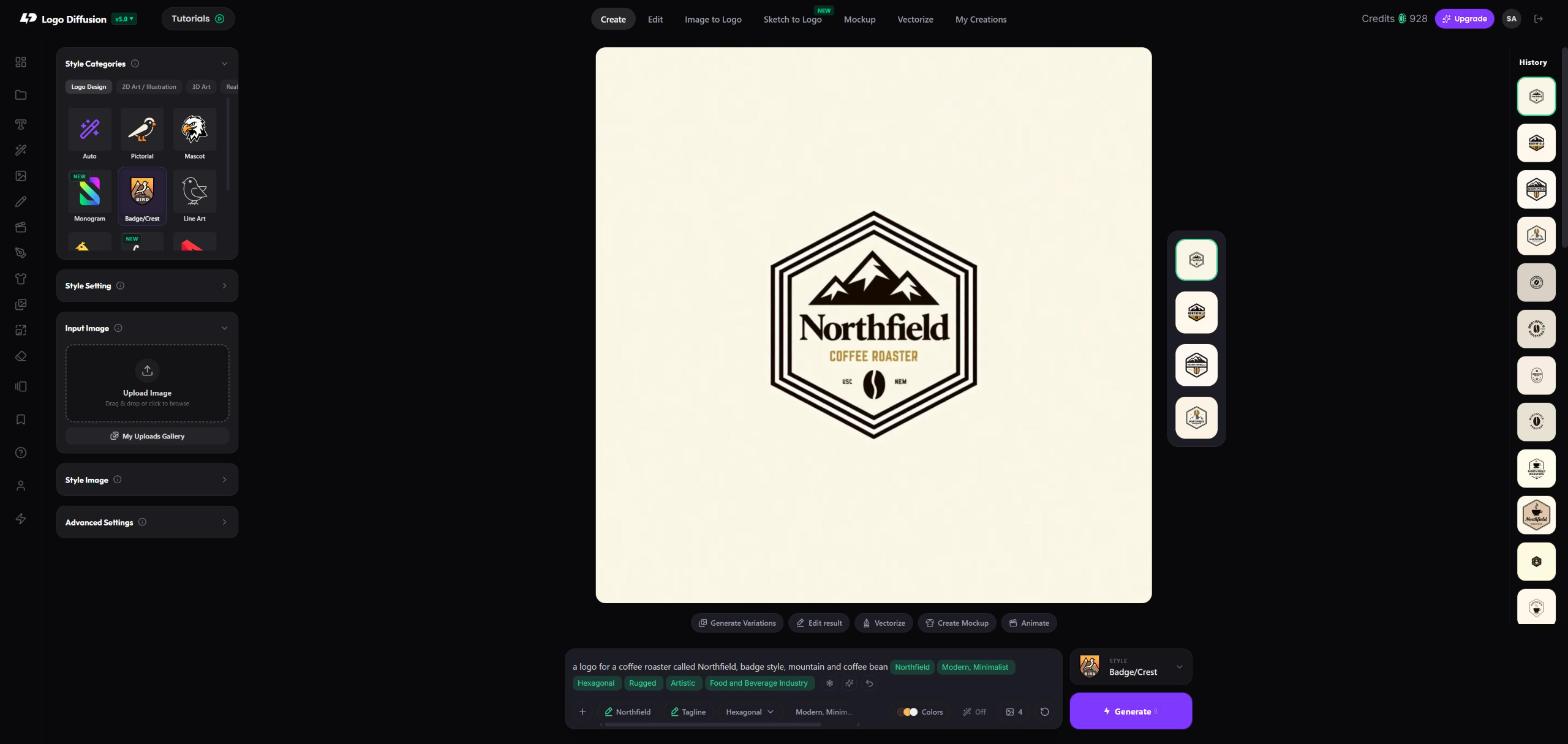
A finished logo downloads as a PNG, 1024 px on a paid plan and 512 x 512 with a watermark on the free plan. Download the PNG, then run it through Vectorize for the layered SVG, as the Northfield badge below shows: 5 credits with the Default vectorizer, or 8 with the HQ vectorizer on paid plans. As of October 2026 the free plan gives 24 credits, refilled weekly, with no credit card, and Basic is $24 a month, Pro $49 and Elite $99.

It fits designers and founders who start from their own description, sketch or image and need a vector file at the end. If a prompt keeps missing what you asked for, 5 steps for refining AI logo prompts shows what to change first.
2. Canva Logo Maker
Canva's logo maker starts two ways: you edit a template by dragging and dropping, or you type a prompt into its AI Logo Generator. Canva says logos built from its templates or stock graphics are non-exclusive, so other Canva users can use the same content.
For Royal Irons it returned three sepia, painted-looking golfers mid-swing inside shields, one of them a detailed, realistic figure and one on a brown textured background.

The free plan downloads PNG, JPG and PDF files; SVG needs Canva Pro or another paid plan. As of October 2026 the plans are Free, Pro, Business and Enterprise, priced by country.
It fits people who already make their social posts in Canva. Our Logo Diffusion vs Canva comparison covers editing, export and price.
3. Looka
Looka starts from your company name and industry, then asks which logo styles, colors and symbols you like. Its symbols and fonts come from a database, you can't upload your own symbol, and a symbol stays in the database after someone buys a logo with it.
For Royal Irons it returned an icon over the name each time: a green swinging golfer, a golf cart and a club head, with the name in bold green letters, spaced dark capitals and brown.

Making logos is free, and you pay to download. As of October 2026 the Basic Logo Package is $35 one-time for one low-res PNG, the Premium Logo Package is $72 one-time for PNG, SVG, EPS and PDF files, and the Brand Kit is $96 a year. Each purchase covers one brand.
It fits one brand that wants a one-time purchase. The Logo Diffusion vs Looka comparison goes through both side by side.
4. LogoAI
LogoAI generates logo suggestions from your brand name and industry preferences, using a mix of AI logic and structured icon, font and color libraries. After you pick a design, you customize its fonts, icons and colors.
For Royal Irons it returned a yellow flag on a yellow green over the name in black, a thin brown line golfer beside a flag, and a red line flag and tee over "Royal Irons" in red script and sans.

LogoAI sells logo packages, with vector files in the higher ones.
It is aimed at small businesses that want a logo plus stationery, business cards and social templates. Our Logo Diffusion vs LogoAI comparison has the full side-by-side.
5. Shopify Logo Maker (formerly Hatchful)
Shopify Logo Maker, previously called Hatchful, starts from a brand name, an industry and a visual style. You pick a ready-made design, then edit its name and slogan, font, color palette, symbol and layout.
For Royal Irons it returned thin line icons with the name on flat colored squares: a golfer in a circle on olive, a gold golfer in a square on green, and a checkered flag beside "Royal Irons Golfing Team" on orange.

As of October 2026 it is free. You get a ZIP of PNG files, horizontal and vertical, with a background and with a transparent one, and Shopify's help article lists no SVG.
It fits a store owner who needs a free logo today and only needs PNG files. See our Logo Diffusion vs Shopify Logo Maker comparison for the rest.
6. Wix Logo Maker
Wix Logo Maker is built into the Wix website platform. It asks a few style and tone questions, then generates logo options from a mixture of templates and AI logic, and you can change the icons, colors and fonts.
For Royal Irons it returned crossed black clubs over the name in black script, a thin blue line flag on a green over bold blue letters, and a navy golf ball on a tee over thin gray letters.

As of October 2026 the logo maker and its downloads are free, SVG and PNG included. Manual edits are free, and AI edits use credits.
It fits small businesses launching a Wix website. Our Logo Diffusion vs Wix Logo Maker comparison covers both in detail.
7. ChatGPT
ChatGPT makes images from a prompt in the chat. It is a general image tool: it draws illustrations, icons and logo-like designs from whatever you describe.
For Royal Irons it returned two fully shaded crests, one with a crowned lion in a green cape holding a club and one under a jeweled gold crown, plus a minimal gold crown over two crossed clubs with the name in thin green capitals.

Images come back as raster files, with no SVG. As of October 2026 image creation is on every ChatGPT plan: limited on Free, with more on Go, Plus and Pro, priced by location.
It fits brainstorming themes and symbols before you make the logo itself. The Logo Diffusion vs ChatGPT comparison runs through the differences.
8. Midjourney
Midjourney is a general image generator: you write a prompt, and it creates a set of four images.
For Royal Irons it returned three round navy, green and gold seals with ROYAL IRONS around the top and GOLF CLUB at the bottom, filled with crowns, crossed clubs, a lion, a gloved hand and a dragon, all drawn as detailed, engraved-looking illustrations.

Downloads are raster images, and no plan includes vector export. As of October 2026 every plan is a paid subscription: Basic $10 a month, Standard $30, Pro $60 and Mega $120.
It fits moodboards and illustration, when you plan to redraw the final logo as a vector yourself. Read the Logo Diffusion vs Midjourney comparison for the full picture.
Make your logo with Logo Diffusion. Describe it, sketch it or upload an image, then turn it into a layered SVG with Vectorize. Try it for free.
Frequently asked questions
Which tool is best for generating logo ideas and variations?
For variations of a logo you already have, Logo Variations in Logo Diffusion always returns 4 variations. Its default Auto mode keeps the logo's concept and style, or you can pick one of the 11 logo styles. For new ideas, Text to Logo costs 2 credits per image, so a paid generation of 4 options is 8 credits.
For variations of a logo you already have, Logo Variations in Logo Diffusion always returns 4 variations. Its default Auto mode keeps the logo's concept and style, or you can pick one of the 11 logo styles. For new ideas, Text to Logo costs 2 credits per image, so a paid generation of 4 options is 8 credits.
Which of these tools can change one part of a logo?
Logo Diffusion's Magic Editor changes the part of a logo you name in a text instruction, such as a color or the name, for 5 credits on the default Base setting. Midjourney's Editor can regenerate a selected area, and Canva's paid plans add Magic Edit, which edits part of an image from a short prompt. Looka, Shopify Logo Maker, LogoAI and Wix Logo Maker edit fonts, colors and symbols by hand, and Wix adds AI edits on credits.
Logo Diffusion's Magic Editor changes the part of a logo you name in a text instruction, such as a color or the name, for 5 credits on the default Base setting. Midjourney's Editor can regenerate a selected area, and Canva's paid plans add Magic Edit, which edits part of an image from a short prompt. Looka, Shopify Logo Maker, LogoAI and Wix Logo Maker edit fonts, colors and symbols by hand, and Wix adds AI edits on credits.
Do I need a 4K logo file?
No. A logo should be a vector file, which scales from a favicon to a sign without blurring, so a 4K image adds nothing for print. Logo Diffusion's Vectorize gives you that file as a layered SVG. If you need a larger image for a slide or a mockup, Upscale enlarges it 2x on every plan, or 4x on Pro and Elite.
No. A logo should be a vector file, which scales from a favicon to a sign without blurring, so a 4K image adds nothing for print. Logo Diffusion's Vectorize gives you that file as a layered SVG. If you need a larger image for a slide or a mockup, Upscale enlarges it 2x on every plan, or 4x on Pro and Elite.
Who owns a logo made with an AI logo maker?
It depends on the tool and the plan. Every logo made on a Logo Diffusion paid plan is licensed for commercial use, and the license stays after the subscription ends; free-plan logos carry none. Looka says copyright covers the logo as a whole, not its icons and fonts, and Canva says only a logo built from scratch from basic lines, shapes and fonts can be trademarked.
It depends on the tool and the plan. Every logo made on a Logo Diffusion paid plan is licensed for commercial use, and the license stays after the subscription ends; free-plan logos carry none. Looka says copyright covers the logo as a whole, not its icons and fonts, and Canva says only a logo built from scratch from basic lines, shapes and fonts can be trademarked.


Start with the material prompt.
The honest test is a real project, not a demo. 24 credits, no card.