
This page compares ChatGPT and Logo Diffusion for making a logo: first on one shared brief, then on lettering, editing, files and price. ChatGPT is a general assistant that can also draw images from a chat message. Logo Diffusion makes only logos, and it is the one to pick when the logo has to become a file you can print, embroider or hand to a developer.
The shared brief is a fictional golf team called Royal Irons. Every other example on this page is real Logo Diffusion output: logos from its public gallery shown with the exact prompts that made them, plus one edit and one vector file made in the app.
Logo Diffusion is an AI logo generator. In Text to Logo you describe the logo, choose one of 11 logo styles or leave it on Auto, and get 4 options on a paid plan or 2 on the free plan. Sketch to Logo starts from a drawing, and Image to Logo starts from a photo.
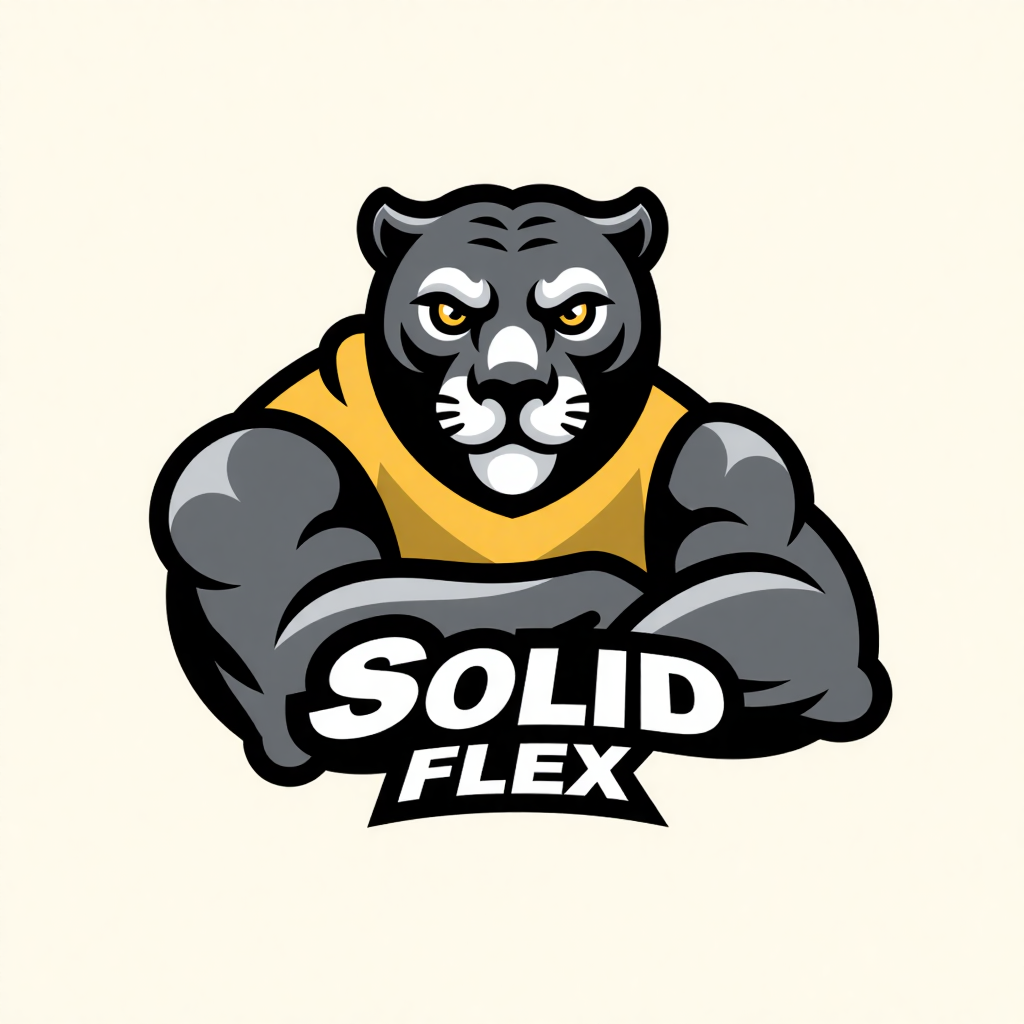
This mascot prompt names the animal, what it wears, where it looks and the name:
Dynamic muscular panther head wearing modern streetwear, looking forward directly at the viewer, showing the text "Solid Flex"
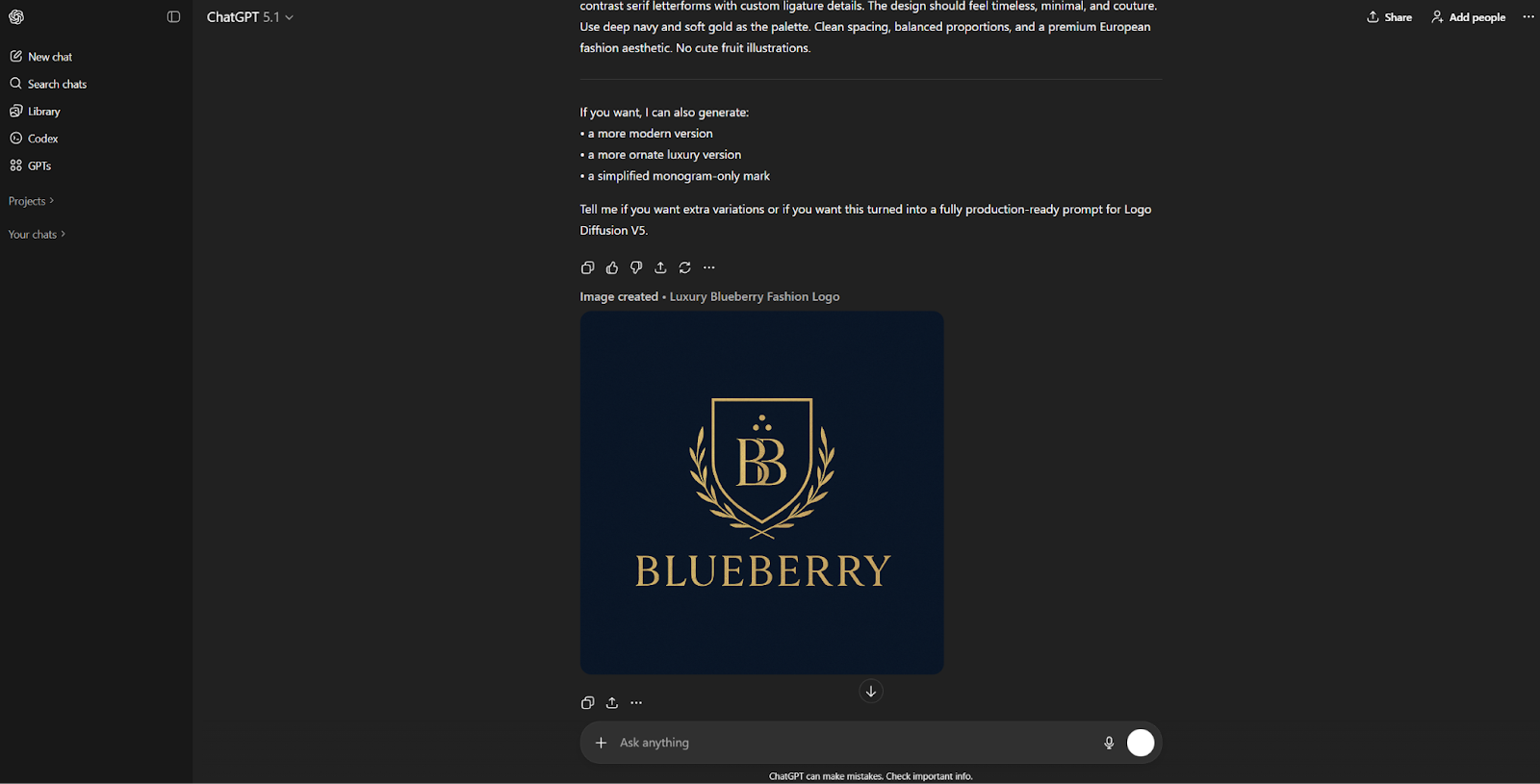
ChatGPT is OpenAI’s chat assistant, and its image tool draws a picture from whatever you describe in the chat. The screenshot shows it making a crest for a fashion brand called Blueberry. As of October 2026, image creation is on every ChatGPT plan: limited on Free, with more on Go, Plus and Pro.
The images are raster files. OpenAI’s image generation guide lists PNG as the default format, with JPEG and WebP as the alternatives, and no vector format.
| Feature | Logo Diffusion | ChatGPT Image Generator |
|---|---|---|
| What it makes | Logos only, from a prompt, a sketch or a photo, in 11 logo styles | Images of any subject, from a chat message |
| Files you get | A PNG of each logo, and a layered SVG through Vectorize | Raster images: PNG by default, JPEG or WebP on request |
| Vector export | Yes, with Vectorize: 5 credits (Default vectorizer) or 8 (HQ vectorizer, paid plans) | No vector format in OpenAI’s image guide |
| How you edit | Magic Editor: one text instruction, 5 credits at the default Base setting | Ask for the change in the chat |
| Mockups | 70+ ready-made mockups, each generated fresh around your logo | No dedicated mockup tool |
| Price | Free plan: 24 credits, refilled weekly. Paid plans: $24, $49 and $99 a month | Image creation on every plan, limited on Free (as of October 2026) |
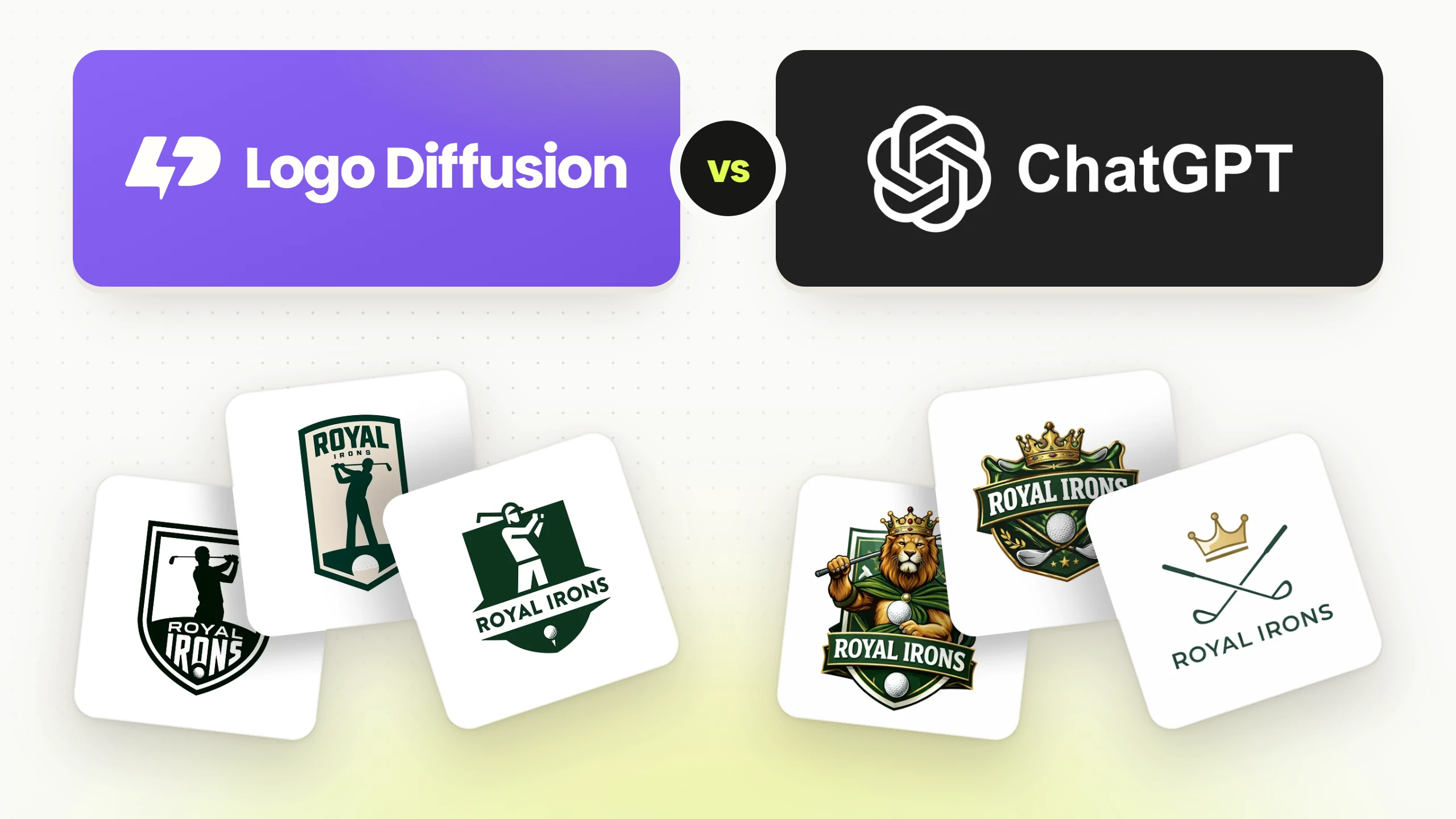
Both tools got the same brief: a logo for a fictional golf team called Royal Irons. No result was edited afterward. ChatGPT’s three results are on the left, Logo Diffusion’s three on the right.
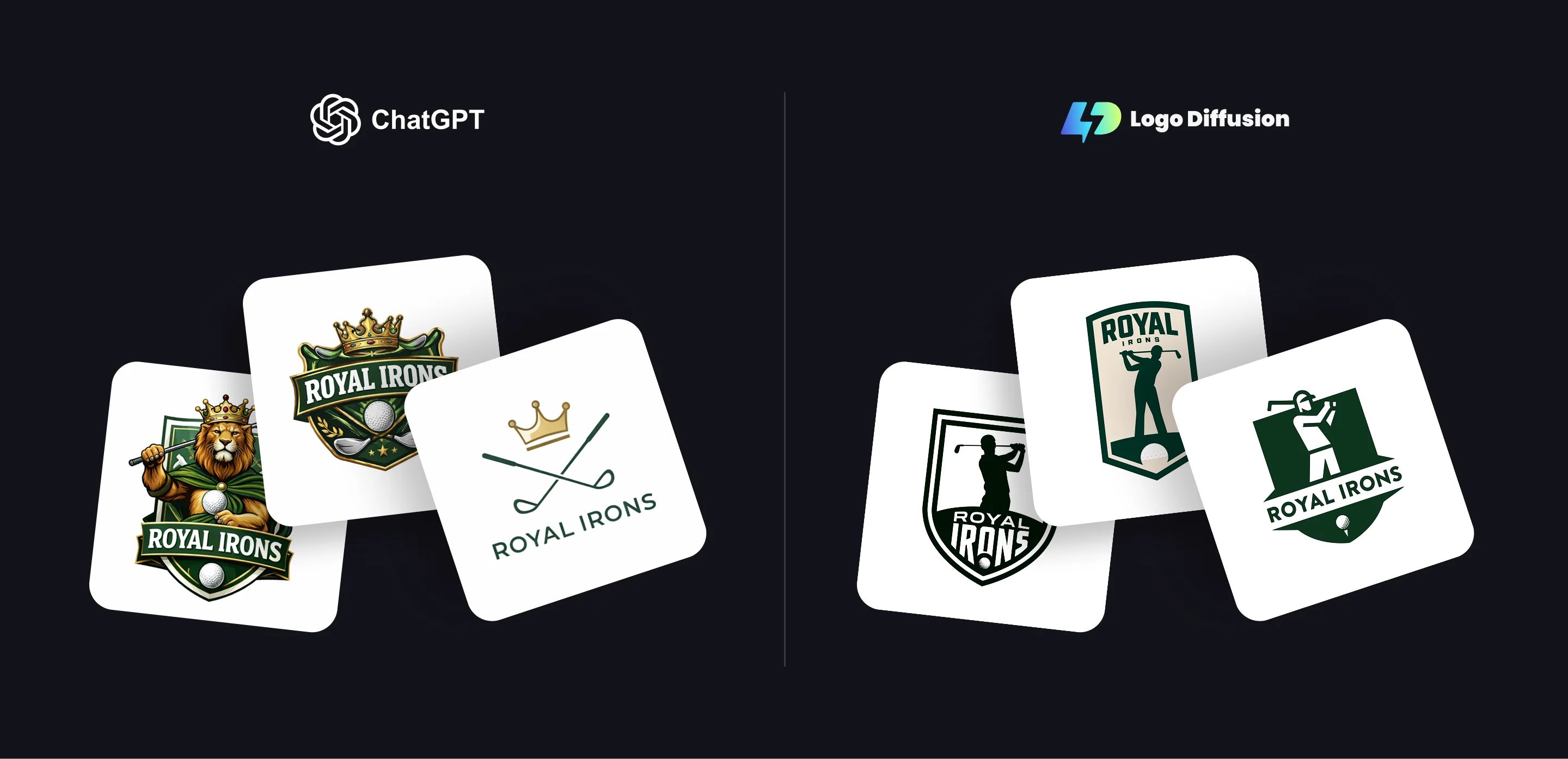
ChatGPT returned two crests and one minimal logo:
Logo Diffusion returned three team badges in dark green and white:
All six spell the name right, so the difference is the finish. In our testing, ChatGPT drew two of its three like illustrations, with fur, cape folds, highlights and shadows, and drew the third in hairline strokes. Logo Diffusion drew all three in flat shapes of two or three colors, with each golfer as one solid silhouette. Flat shapes go onto a shirt, a sign or an SVG as they are, while shading has to be redrawn as flat color before a logo can be embroidered or screen printed in a few inks.
Put the words you want on the logo in quotes. This prompt quotes a product name and a tagline, and both came back as lettering drawn for the logo:
Stylized "CHURROS" arched above, a sun-like emblem with stylized churros radiating outward. "Brighton’s Best" below, subtly wavy.

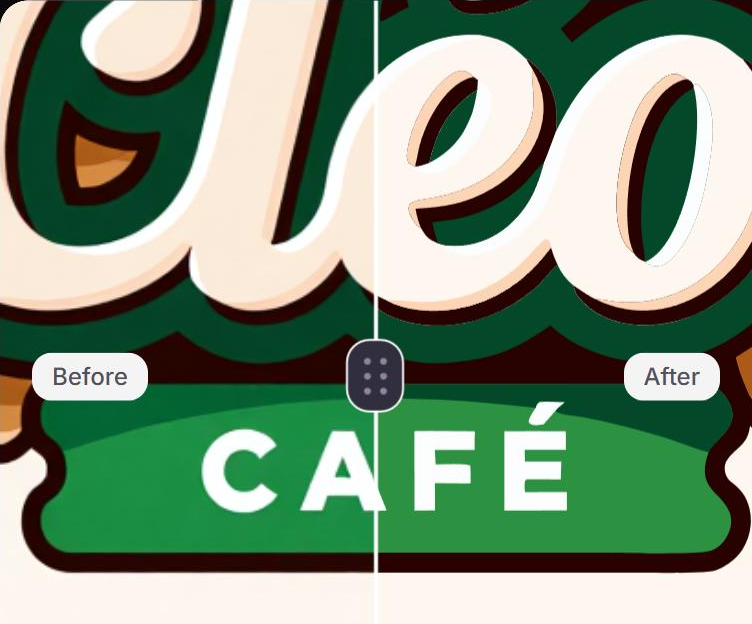
When a logo is close, you don’t have to write the prompt again. The Magic Editor takes a text instruction that names the change and what should stay. On a cafe logo from the gallery, this instruction changed the name and nothing else:
change the name from Cléo to Lola, keep everything else the same

ChatGPT also takes edit requests in the chat. In Logo Diffusion the edited logo stays in the app that holds the rest of the logo work: Vectorize for the SVG, Mockups, and Logo System, which makes wordmark, lettermark, emblem and symbol versions of the same logo.
Print shops, sign makers and embroidery software want a vector file, because it scales to any size with clean edges. ChatGPT’s images stay raster, as the table above shows. In Logo Diffusion, download the PNG, then run it through Vectorize for the layered SVG: 5 credits with the Default vectorizer, which the free plan can use twice a month, or 8 with the HQ vectorizer on paid plans.
How to export logos as SVG files covers the download and how to check the file before it goes to a printer.
Logo Diffusion
Each Text to Logo image costs 2 credits: 8 credits for 4 options on a paid plan, 4 credits for 2 on the free plan. Billed annually, the paid plans get two months free.
ChatGPT
As of October 2026, image creation comes with every ChatGPT plan, Free included, and the allowance grows from Free to Go, Plus and Pro. For a logo, the ChatGPT plan you already have covers the drawing. The vector file, the mockups and the logo versions are what Logo Diffusion adds.
Make your logo with Logo Diffusion. Describe it, sketch it or upload an image, then turn it into a layered SVG with Vectorize. Try it for free.
Yes, as an image. Describe the logo in the chat and it draws one; the three Royal Irons results above came from a single brief. What you get is a picture file, so plan a vector step before the logo goes to print.
Yes. Upload the PNG to Vectorize in Logo Diffusion and download the SVG, for 5 credits with the Default vectorizer or 8 with the HQ vectorizer on a paid plan. Only upload images you hold the rights to.
Yes, when you make it on a paid plan. Those logos are licensed for commercial use, and the license continues after you cancel. Logos made on the free plan carry no commercial license.
24 credits, refilled weekly, which covers up to 12 Text to Logo images, 2 options at a time. Free downloads are 512 x 512 and watermarked; paid plans download an unwatermarked 1024 px PNG.
Ali Rahmoun is a brand designer and 3D illustrator who has been building logos and brand identities since 2006. In 2016 he founded Sports Templates, whose branding and uniform templates have been used by the Pittsburgh Steelers, the Minnesota Timberwolves and ESPN, where he also worked on custom 3D graphics. In 2023 he founded Logo Diffusion, training its AI models on his own branding projects and on what makes a logo work: clean shapes, strong type and a file you can actually use. He writes here about logo design, branding and how to get professional results from AI without handing over the creative decisions.