
TABLE OF CONTENT

Logo Diffusion vs Shopify: A Detailed Comparison of AI Logo Makers

December 18, 2025
LogoDiffusion vs Shopify comparison graphic with split gradient and white background

What is Logo Diffusion?

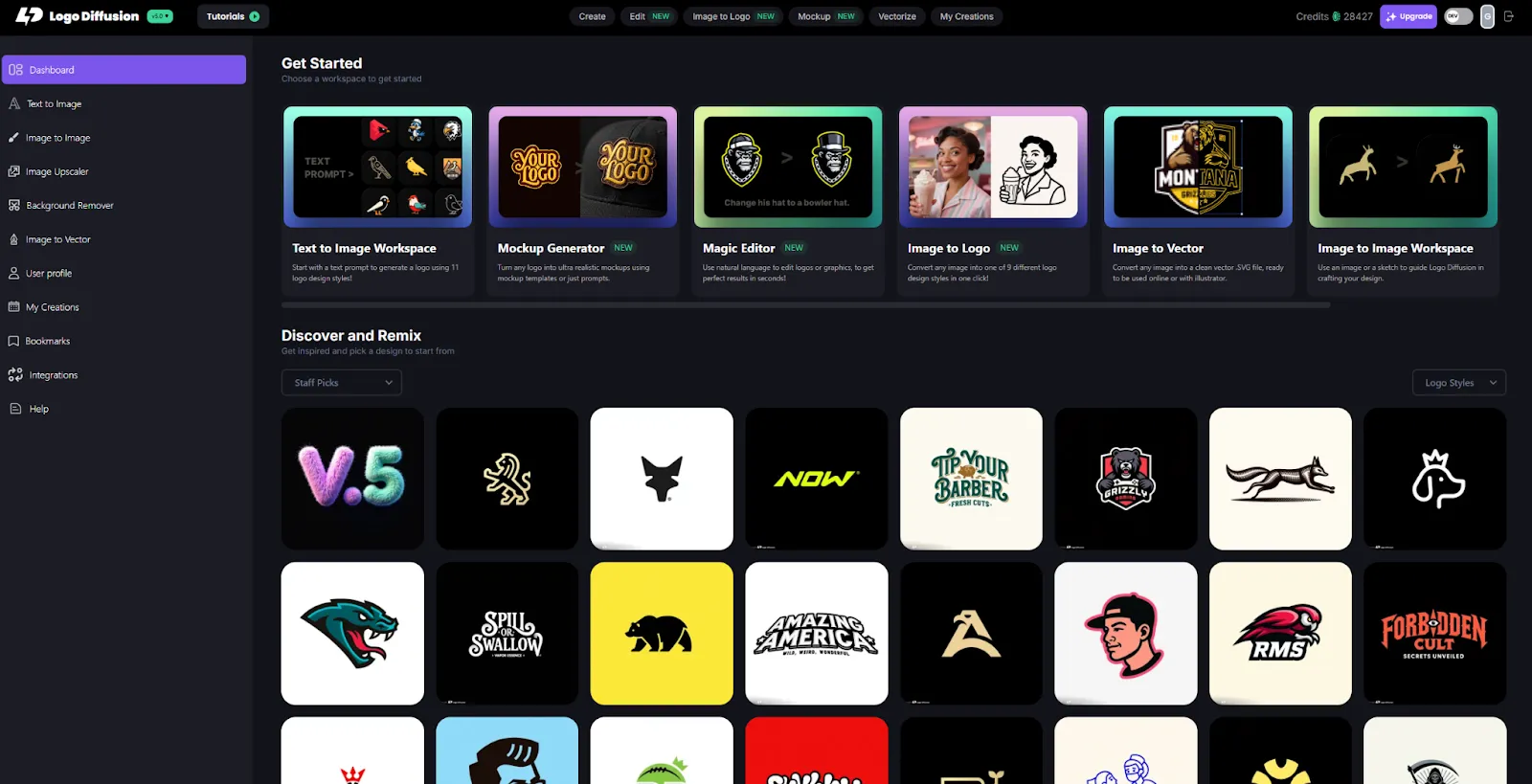
LogoDiffusion dashboard with AI logo generation tools and design gallery grid

Logo Diffusion is a logo-focused AI platform designed to create professional, original, and production-ready logos. Its models are trained specifically on clean, designer-curated logo datasets, which helps it produce balanced, minimal, scalable logos rather than general illustrations. Features include 11 logo styles, Magic Editor, AI mockup generator, image-to-logo, smart vectorizer, 4K upscaler and much more. The platform shortens the entire logo workflow from brainstorming to exporting vectors, while still relying on the user’s creative direction.
What is Shopify Logo Maker (Hatchful)?

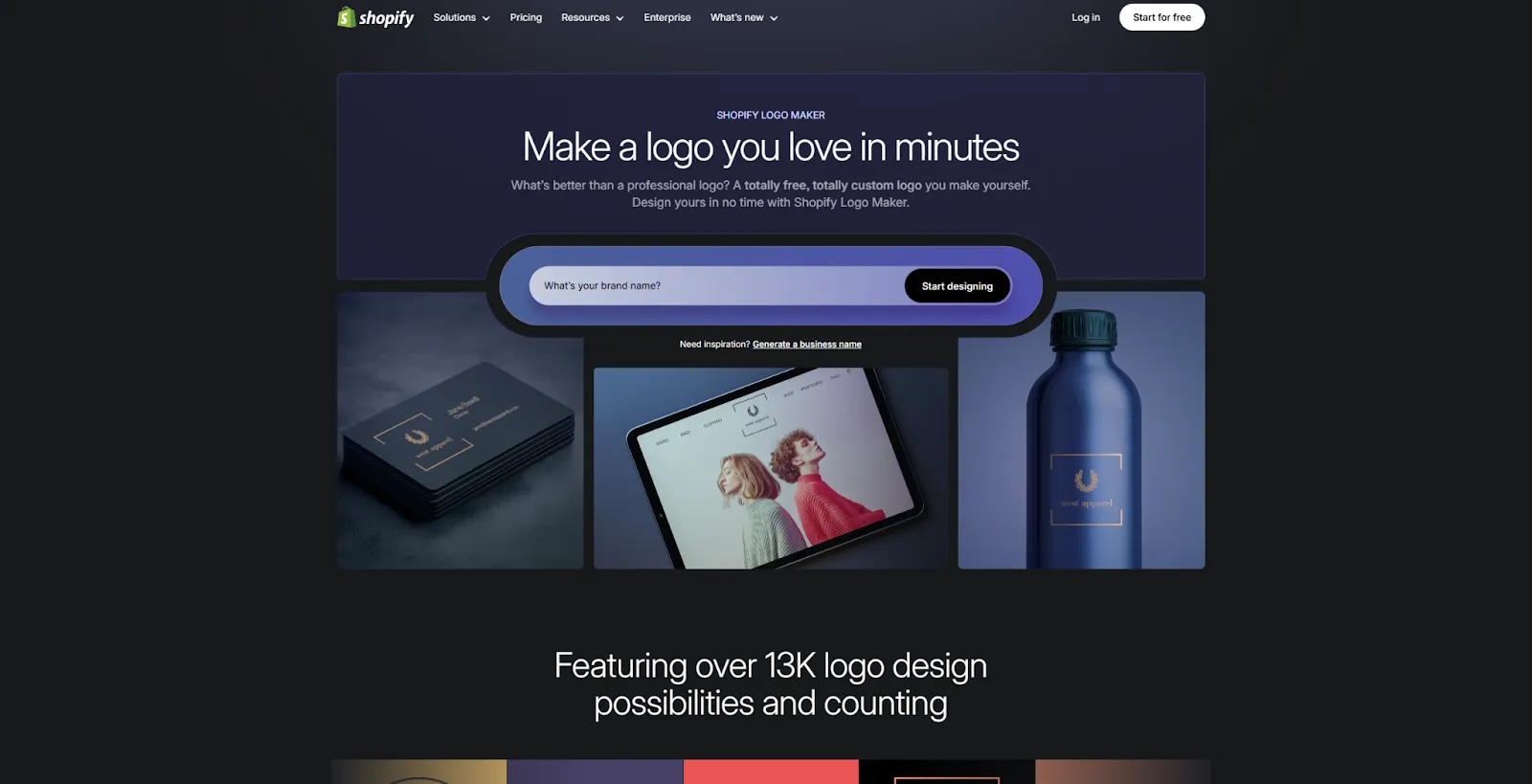
Shopify Logo Maker homepage showing logo creation interface and product mockups

Shopify Logo Maker, previously called Hatchful, is a free logo creation tool built by Shopify. It uses style prompts and industry categories to produce logo layouts based on predefined icons, font families, and color palettes. It’s extremely simple to use and is designed to help new Shopify store owners launch quickly with a usable visual identity. The output is functional, but the designs often rely on common icon sets and templated layouts.

Quick Comparison Table

Feature Logo Diffusion Shopify Logo Maker (Hatchful)
Purpose Professional logo generation Quick, free logo creation
AI type Logo-specific generative models Template-based suggestions
Originality High Low
Vector output Yes Limited
Editing Magic Editor + deep control Basic color, font, and icon swaps
Mockups AI-generated, custom Basic static previews
Pricing Free / $24 / $49 / $99 Free

Logo Quality & Originality

Logo Diffusion

  • Creates new, original logo concepts from prompts.
  • Models follow logo principles like simplicity, symmetry, and clean geometry.
  • Suitable for long-term brand identity, printing, and scaling.

Shopify Logo Maker

  • Generates logos using shared icon libraries and layout presets.
  • Simple and clean, but not unique; many businesses may use similar icons.
  • More suitable for temporary or early-stage branding.

Customization & Control

Logo Diffusion

  • Choose from 11 logo styles, adjust detail level, tone, industry, and more.
  • Magic Editor lets you change one part of a logo without altering the whole design.
  • Image-to-logo models turn any photo (product, pet, person, object) into a stylized logo.

Shopify Logo Maker

  • Basic editor: pick an icon, change fonts, tweak colors.
  • Very beginner-friendly, but shallow.
  • No advanced editing, no logo-specific AI tools, no structural refinement.

Workflow Tools

Logo Diffusion

  • AI mockup generator: create custom, realistic mockups of any scene.
  • Vectorizer rebuilds vectors cleanly, not just traces.
  • 4K upscaler with creative control for texture and clarity.
  • Suited for designers and brand builders.

Shopify Logo Maker

  • No mockups.
  • No vectorizer or production workflow.
  • Intended for quick logo generation inside the Shopify ecosystem.

Logo comparison using the same idea

To keep the comparison fair and consistent, we used the same logo brief and prompt across both AI platforms. Each tool was asked to generate a logo for a fictional golf team called “Royal Irons”, with no additional post-editing or manual cleanup. This approach helps highlight how each AI interprets the same idea, design constraints, and brand intent. The results below show the raw outputs from each platform, allowing you to compare differences in style, structure, simplicity, and overall logo readiness.
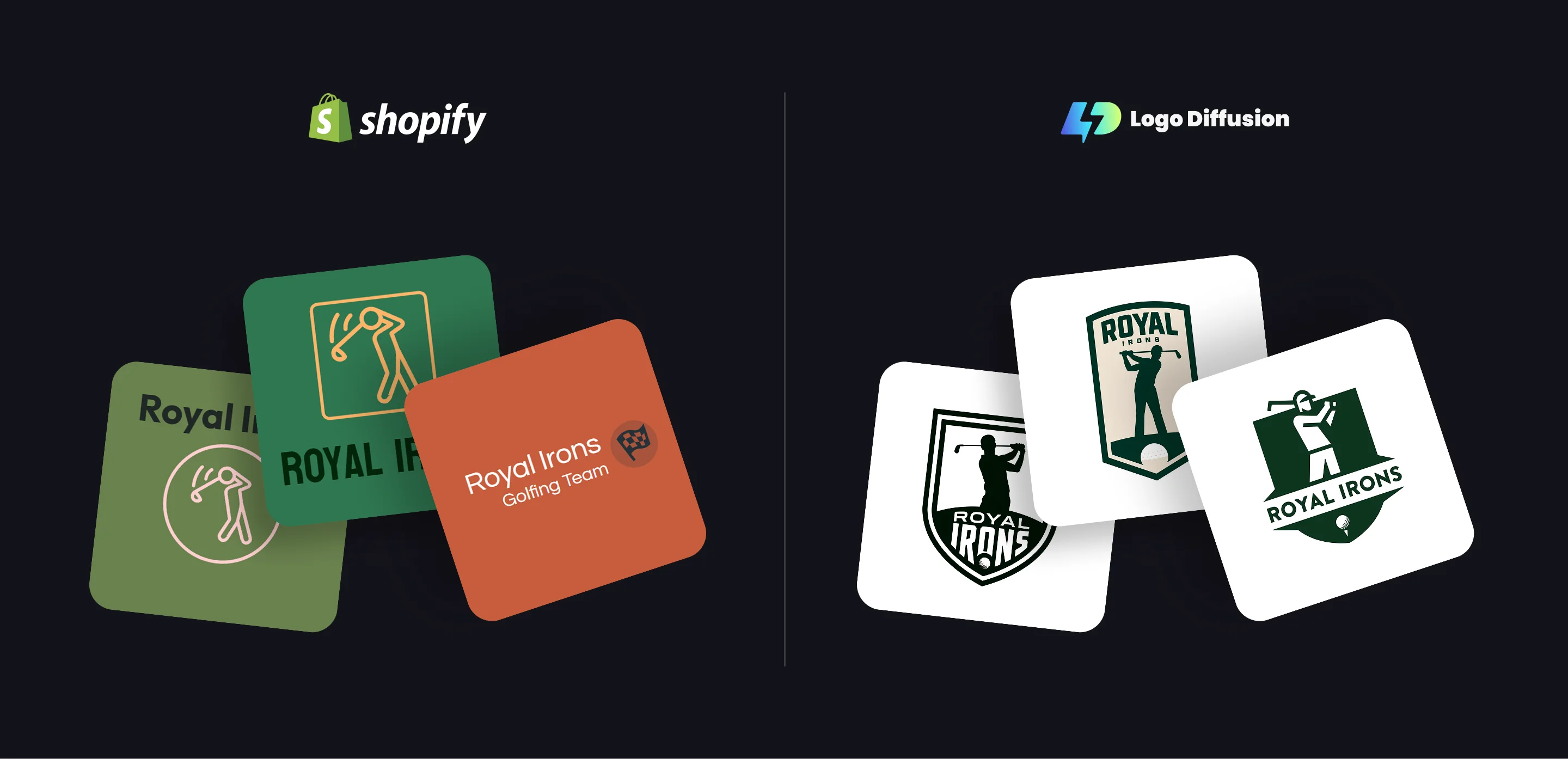
Shopify vs LogoDiffusion comparison showing Royal Irons logo design results side by side

Pricing & Value

Logo Diffusion

  • Free: 20 credits/month
  • Basic – $24/month: ~1,000 credits, vectorizer, Magic Editor, commercial rights
  • Pro – $49/month: ~2,500 credits, higher limits + 3 concurrent jobs
  • Elite – $99/month: ~6,000 credits, highest limits + 4 concurrent jobs

Shopify Logo Maker

  • Entirely free
  • Downloadable assets included
  • No vector refinements or advanced branding features

Conclusion

Logo Diffusion is a strong fit for users who want original, scalable logos that can grow into a long-term brand identity. Its logo-specific AI models, flexible style system, and tools like Magic Editor, vectorization, and custom mockups support a more deliberate design process without requiring traditional design software. It works especially well for founders, designers, or teams who want to explore multiple concepts and refine them into production-ready assets.

Shopify Logo Maker is designed for speed and simplicity, making it a practical option for new store owners who need a free logo to get started quickly. Its guided approach and templated system reduce friction, even for users with no design experience. While this limits originality and advanced control, it succeeds at its core goal: helping merchants launch fast within the Shopify ecosystem. In short, Shopify Logo Maker is ideal for quick setup, while Logo Diffusion is built for users who want more creative freedom and a deeper logo workflow.

FAQ

If you want a distinctive, production-ready logo you can scale, print, and refine over time, Logo Diffusion is the better fit. If you just need a quick, free logo to get a new store live fast, Shopify Logo Maker (Hatchful) works as a starting point.

Yes—Hatchful is positioned as free. The trade-off is depth: it’s mainly template + icon choices with basic tweaks, while Logo Diffusion supports iteration, precision edits, clean vectors, and production assets like mockups.

Logo Diffusion generates logos from prompt direction using logo-focused models, producing more concept-driven variety. Shopify Logo Maker relies on familiar icon/layout patterns, which can lead to similar-looking designs across businesses.

Yes—Logo Diffusion supports vector output via its vector workflow. Vector files stay sharp at any size and are easier to edit professionally.

Magic Editor enables selective refinement of specific elements while keeping the rest consistent. Shopify’s editor focuses on quick swaps like fonts, icons, and colours.

Yes—Logo Diffusion includes an AI mockup generator. This helps Shopify merchants preview branding on packaging, product images, and marketing materials.

With Logo Diffusion, yes—its image-to-logo workflow can transform photos into stylised logo directions. Shopify Logo Maker does not offer image-based logo generation.

Logo Diffusion offers a broad style range for exploring multiple directions. Shopify Logo Maker focuses on a smaller guided set of template styles.

Shopify Logo Maker is free. Logo Diffusion offers a free trial tier and paid plans (e.g., Basic, Pro, Elite) with expanded features, higher limits, and commercial usage rights.

Start with Shopify Logo Maker for a quick store launch. Switch to Logo Diffusion when you need uniqueness, vector exports, and scalable branding.

Logo Diffusion is built for rapid iteration and controlled refinement. Shopify Logo Maker is fast for first drafts but not designed for deep iteration.

Create prompt-based options, select one direction, refine with Magic Editor, export a clean vector version, and generate mockups for product pages and ads.

ABOUT THE AUTHOR
View all author's posts