How to Upscale and Enhance a Logo with AI, Plus 4 Other Tools

An AI logo upscaler makes a small or soft logo image larger and fills in edge detail at the new size, so it looks sharper than a plain resize. In Logo Diffusion the tool is called Upscale: load your logo, pick 2x (5 credits) or 4x (20 credits) and click Generate.
Below are the four steps, with a real 2x upscale of a coffee shop badge made in Logo Diffusion. Then a table for choosing between 2x, 4x and a vector file, and four other logo upscalers, checked on their own pages.
1. Start from the cleanest file you have
The upscaler enlarges everything in the file, including its flaws. A few minutes of prep decides most of the result.
- Use a PNG if you have one. JPG compression leaves blocky specks around edges, and the upscaler enlarges those too. If you only have a JPG, use the largest copy that has been re-saved the fewest times.
- Remove a busy background first. A photo, a texture or a colored box around the logo competes with the edges you care about. Background removal in Logo Diffusion costs 2 credits and leaves the logo on a transparent background.
- Crop close to the logo. Leave a small margin, so the pixels in the file belong to the logo and not to empty space.
- Note the fine parts. Thin lines and small text are where an upscale needs the closest look afterwards.
2. Open Upscale and choose 2x or 4x
Open Upscale in the Logo Diffusion app and upload your logo. Choose the size, then click Generate.
- 2x costs 5 credits. It is on every plan. The free plan includes up to 4 a month, paid from its 24 credits, refilled weekly.
- 4x costs 20 credits. It is not available on Basic or Free.
Run 2x first. It costs a quarter of 4x and covers most screen uses: a website header, slides, a social profile image. Move to 4x when you need the largest PNG the tool makes, for a banner or a mockup.
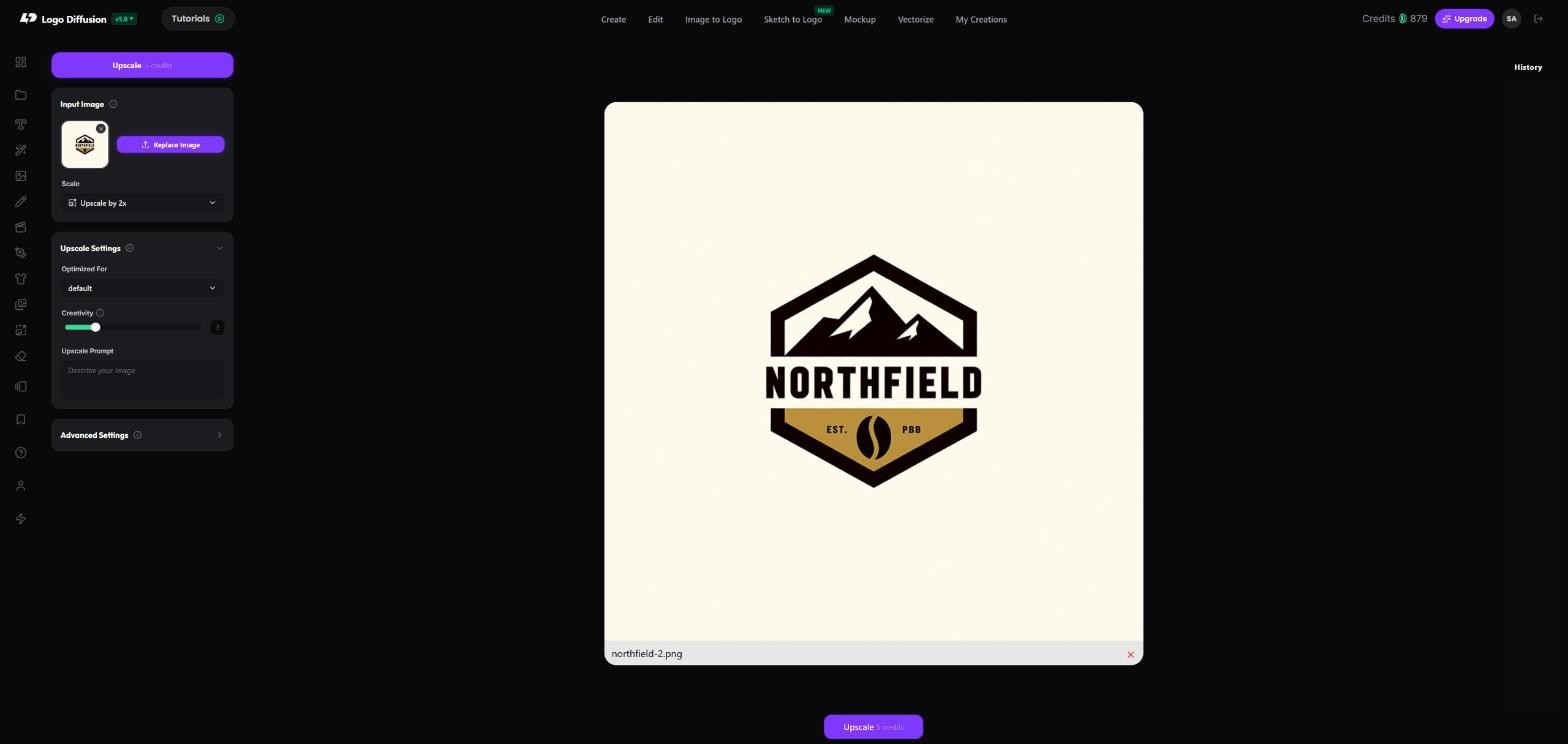
3. Compare the edges, then download the PNG
When the upscale is done, zoom in on the same area of the original and the new version. Check three places: curves, small text, and the line where two colors meet. Comparing costs nothing, and you download the upscaled logo as a PNG.

If you see a light outline around dark shapes, the source usually carried it: a JPG, or a background left behind. Remove the background from the original and upscale again. If small text has changed shape, the letters were too small in the source to rebuild. Find a larger original if one exists.
4. Vectorize when the logo has to scale further
An upscaled logo is still made of pixels. It grows by a fixed factor, and past that size the edges go soft again. A vector file is made of paths and stays sharp at any size, which is what signs, shirts, embroidery, vehicle wraps and print shops need.
Vectorize in Logo Diffusion turns a PNG into a layered SVG with real vector paths.
- Default vectorizer: 5 credits, returns a Stacked file. The free plan includes 2 a month.
- HQ vectorizer: 8 credits, on paid plans. It returns a Stacked file and a Cut out file, and downloading both costs nothing extra.
Downloads are layered SVG and transparent PNG. PDF and EPS are coming soon. The steps for checking and using an SVG are in how to export logos as SVG files.
Upscale or vectorize: which one you need
| You need the logo for | Use | Credits |
|---|---|---|
| A website header, slides, a social profile image | Upscale 2x | 5 |
| The largest PNG for a banner or a mockup | Upscale 4x (not on Basic or Free) | 20 |
| Print, signs, merch, embroidery, any size | Vectorize | 5 Default, 8 HQ |
| A clean source before either one | Background removal | 2 |
For the pixel sizes each place expects, see the logo size guidelines.
Other AI logo upscalers and logo enhancers online
Four other tools that upscale logos, with what each vendor states on its own page, checked on October 13, 2026. Prices are left out because they change; check each vendor's pricing page before you pay.
| Tool | Scale options | Free use | Also stated by the vendor |
|---|---|---|---|
| Logo Diffusion Upscale | 2x, 4x (4x not on Basic or Free) | Free plan: 2x, up to 4 a month | Vectorize the same logo to a layered SVG in the same app |
| Pixelcut Logo Upscaler | Up to 4x | Up to 3 free downloads a day | Uploads JPG, PNG or HEIC, up to 50MB and 6000 x 6000 px |
| Fotor Logo Enhancer | Standard or advanced mode; Fotor's image upscaler offers 2x or 4x | Free users have limits on resolution or credits; 2x downloads from Fotor's image upscaler are free | Uploads JPG, PNG, SVG or WEBP; downloads PNG or JPG |
| Upscale.media | 1x, 2x, 4x, 8x | Free plan: 3 credits and 3 downloads a month | The largest image you can upload gets smaller as the scale goes up |
| insMind AI Logo Enhancer | 4x with the Ultra HD option | Free to try; insMind states no fixed free limit | Batch Enhance, up to 30 images at once |
Every upscaler in this table returns a larger image made of pixels. For a logo that has to work at any size, Step 4 is the one that matters.
Make your logo with Logo Diffusion. Describe it, sketch it or upload an image, then turn it into a layered SVG with Vectorize. Try it for free.
Frequently asked questions
Is a logo enhancer the same as a logo upscaler?
In practice, yes. Fotor and insMind call their tools logo enhancers, Pixelcut calls its tool a logo upscaler, and in Logo Diffusion it is called Upscale. All of them take a logo image and return a larger one made of pixels.
In practice, yes. Fotor and insMind call their tools logo enhancers, Pixelcut calls its tool a logo upscaler, and in Logo Diffusion it is called Upscale. All of them take a logo image and return a larger one made of pixels.
Can I upscale a logo I did not make?
Only upload a logo you made or have permission to use. Upscaling does not change who owns it: the Logo Diffusion Terms of Service say images created by others stay owned by their original creators when you upscale them.
Only upload a logo you made or have permission to use. Upscaling does not change who owns it: the Logo Diffusion Terms of Service say images created by others stay owned by their original creators when you upscale them.
Do I need to upscale an SVG logo?
No. An SVG is made of paths, so it stays sharp at any size. Export a PNG at the exact size you need from the SVG in a vector editor instead. Upscale is for a logo you only have as a PNG or JPG.
No. An SVG is made of paths, so it stays sharp at any size. Export a PNG at the exact size you need from the SVG in a vector editor instead. Upscale is for a logo you only have as a PNG or JPG.


Start with the material prompt.
The honest test is a real project, not a demo. 24 credits, no card.